
AI & Tech
Active vs. Passive Screen Time: How to Evaluate Toddler Apps
A practical toddler app audit: meaningful interaction, age fit, AI and microphone permissions, purchase prompts, stopping points, and shared play.
6 min readPublished
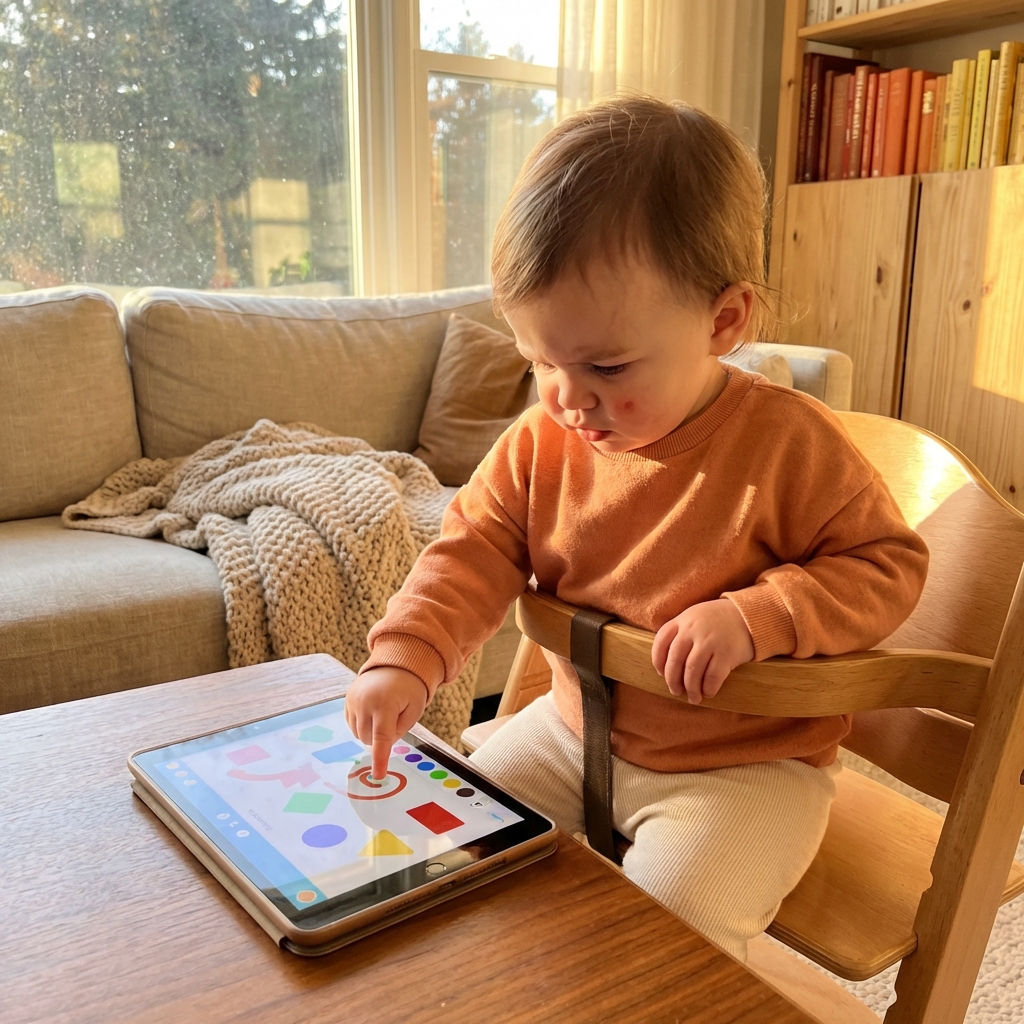
Two apps can both describe themselves as interactive while offering very different experiences. In one, a child chooses a color and draws a line. In another, tapping anywhere launches the same animation and reward. The second involves touch, but the child’s decision may not change very much. That is why “active screen time” needs a more useful definition than simply touching the screen.
This guide is a parent’s evaluation method, not a ranking or a developmental test. I develop ToddlerLock, so I apply the same questions to my own category of apps. The aim is to help you reject unsuitable choices, including attractive apps whose educational or AI claims are difficult to verify.
Look for a meaningful action and a clear response
Ask what the child gets to decide. Can they choose an object, move it, create something, or try a different approach? Does the app respond in a way you can explain? A simple activity can be worthwhile to share even when it does not teach a named skill. But a claim that it improves intelligence or attention needs evidence beyond a colorful store description.
Try doing nothing for a moment. Does the activity wait, or does it keep pulling attention back with prompts? Then tap an unintended area. Does it recover without punishment, move to unrelated content, or open a purchase flow? These are usability observations you can make yourself. They are more concrete than assuming that every video is passive and every game is beneficial.
A five-minute audit before your child uses it
Use the app from a fresh launch through one complete activity. Keep a note of anything you had to read, dismiss, or repair. An app aimed at young children may still require adult setup, which is fine; the question is whether that setup stays separate from play or keeps interrupting it. Repeat the exit and restart so you know what a second session will look like.
Treat the following table as a decision aid, not a validated score. One serious concern, such as an open chat or a purchase prompt inside play, can be enough to choose something else. You do not have to balance it out with attractive graphics or a large number of activities.
| Check | What to try | Reason to pause |
|---|---|---|
| Agency | Choose two different actions | Both lead to the same reward loop |
| Instructions | Play without reading prompts | Progress requires constant adult rescue |
| Privacy | Review permissions and the privacy policy | Voice or photos requested without a clear purpose |
| Commercial prompts | Finish and restart an activity | Purchase or external links interrupt play |
| Ending | Look for a natural stopping point | An endless sequence begins automatically |
What the AI label does—and does not—tell you
“AI-powered” can describe very different features: adapting a difficulty level, generating a story, interpreting speech, or offering an open conversation. Ask which one the app actually uses. A predictable puzzle that adjusts its level has different questions to answer from a chatbot that can produce new responses to anything a child says.
For toddler use, be cautious about open-ended generated conversations. Young children cannot independently check an answer, recognize a misleading response, or understand why an apparently friendly voice is asking a question. UNICEF’s guidance on AI and children treats safety, privacy, and children’s rights as design requirements. An AI feature should earn its place, not be a reason to overlook those requirements.
Review the microphone, camera, and account requirements
Before granting access, ask what would stop working if you declined. A microphone can make sense for a feature that records speech, but you still need to know whether recordings leave the device, how long they are kept, and how to delete them. If the explanation is missing or difficult to understand, choose an activity that does not require that information.
Use invented sample details when exploring a setup flow rather than entering your child’s real name, birthdate, or photograph unnecessarily. Review the developer’s privacy policy as well as the store listing. Keep the distinction clear: device restrictions control where a child can go; they do not change what an app collects while it is open.
Connect the activity to something outside the app
A useful shared session gives you something simple to do together afterward. If you draw circles on screen, draw on paper next. If the app shows animals, look for the same animal in a book. If a toddler enjoys a pretend phone call, continue the conversation with a toy. This is a practical way to keep media within a wider play routine rather than making the device the whole event.
You do not need to quiz the child or turn every tap into a lesson. Describe what they are doing, pause, and follow their interest. If using the app together feels like repeatedly correcting them, it may be too complicated or simply not a good fit today. Putting it away is a valid outcome of the evaluation.
Remember that interactivity does not override age guidance
The AAP’s 5 Cs is a helpful reminder to consider the individual child, the content, calming habits, displacement of other activities, and communication. A calm visual style or an educational label does not answer those questions for you. Judge the session within the child’s whole day.
For the youngest toddlers, refer to age-specific guidance and favor real-world interaction. An app store age rating is not the same as a pediatric recommendation to use that app. When you do choose media, select an activity you understand, use it together where possible, and preserve time for sleep, movement, and ordinary unstructured play.
Choose the smallest tool that meets the need
If your child wants to copy your phone gestures, a simple pretend interface may fit that interest better than a large learning platform. If you want to draw together, a basic drawing activity may be enough. If the child wants your attention, no feature list substitutes for that. Begin with the situation instead of choosing an app and searching for a reason to use it.
For specific options, our free toddler app guide provides a starting list to investigate. Apply this audit yourself because features, pricing, and permissions can change. For keeping an iPhone in one chosen activity, follow the separate Guided Access instructions; then reassess the content and routine on their own merits.
Frequently asked questions
Does tapping a screen count as active learning?
Tapping is an interaction, but it does not prove learning. Look at whether the child makes meaningful choices, understands the response, and can connect the activity to shared or physical play.
Does my toddler need an AI app?
No AI feature is necessary simply because it is available. Choose activities for your child’s age and interests, and scrutinize generated responses, permissions, and data collection.
Does Guided Access protect data inside an app?
Guided Access restricts the device to an app. It does not change that app’s privacy practices, generated content, or permission use. Review those separately.
Trusted references
Sources Worth Keeping Handy
I link to official support pages and reputable parenting or health resources when they help parents verify the safety steps behind the article.
Read next
Related Toddler Tech Guides



Share this article